Bulk Accounts Buy

  • SHOP
    • Buy Gmail Accounts PVA – New Or Old In Bulk- Instant
    • Buy Gmail Accounts with an App Password [PVA & Old]
    • Buy Facebook Accounts – OLD/Aged Facebook Accounts For Sale
    • Buy Instagram Accounts in Bulk – Aged & Verified
    • Buy Linkedin Accounts in Bulk – Verified and Working
    • Buy iCloud Accounts
    • Buy Twitter Accounts in Bulk – PVA and Aged Accounts
    • Buy Hotmail Accounts – Verified and Aged Accounts
    • Buy Yahoo Accounts In Bulk – Phone Verified Accounts(PVA)
    • Buy Edu Emails – Edu Email Accounts Sale
    • Buy Youtube Accounts in Bulk – All PVA and Aged Accounts
    • Buy Bulk Pinterest Accounts – PVA
    • Buy AOL Accounts – Verified and Aged Accounts
    • Buy GMX Accounts
    • Buy TikTok Accounts | Verfied TikTok Accounts For Sale
  • My Account
    • My Cart
  • Support
  • About us
    • FAQ – Frequently Asked Questions
  • Terms
  • Blog
You are here: Home / Archives for Tips

How To Use Pinterest Hashtags For Your Business In 2026

Last updated on January 12, 2026 By Kevin Anderson

How To Use Pinterest Hashtags

Pinterest is a popular social media platform that is used by millions of people around the world to discover and share creative ideas. For businesses, Pinterest can be an effective marketing tool that can help you reach a larger audience and drive more traffic to your website.

One key element of a successful Pinterest strategy is the use of hashtags. By using relevant hashtags, you can make your content more discoverable, increasing the chances of it being seen by potential customers.

In this complete guide, you will learn how to use hashtags on Pinterest to help your business succeed. From understanding what hashtags are and how they work, to finding the best hashtags to use and implementing them in your strategy, this guide covers everything you need to know to get the most out of Pinterest hashtags.

How To Use Pinterest Hashtags

Why Should Businesses Use Pinterest Hashtags?

Pinterest is a visual search engine where users can discover new ideas, products, and inspiration. With over 250 million monthly active users, it’s a platform that should not be ignored by businesses looking to increase their online visibility and reach. One of the most effective ways to reach your target audience on Pinterest is through the use of hashtags. Hashtags are a simple yet powerful tool that can help businesses increase their reach and engagement on the platform.

  • Hashtags help users discover new content relevant to their interests.
  • By using relevant hashtags in your pins, your content will be easily discoverable by people searching for those topics on Pinterest. This means that your content has the potential to reach a wider audience beyond your existing followers.
  • Hashtags help your content get organised and found by Pinterest’s algorithm. When users search for a particular hashtag on the platform, Pinterest’s algorithm curates a feed of the most relevant content related to that hashtag. This means that if your content is tagged with relevant hashtags, it will have a higher chance of appearing in search results and being discovered by users.
  • Using hashtags can help establish your brand as an authority in your niche.
  • By consistently using relevant hashtags in your content, you can demonstrate your expertise and knowledge in a particular subject, making you more likely to be discovered by potential customers.

Using hashtags on Pinterest can be a valuable tool for businesses looking to increase their reach and engagement on the platform. By using relevant hashtags in your content, you can reach a wider audience, increase the visibility of your content, and establish your brand as an authority in your niche.

Factors to consider while using Pinterest hashtags for business

Pinterest is a visual search engine that provides a unique platform for businesses to reach their target audience. Hashtags play a crucial role in increasing the reach and engagement of your content on the platform. However, with over 100 million monthly active users, it’s important to use hashtags strategically to ensure that your content is seen by the right people. Here, we will discuss the six factors to consider when using hashtags for your business on Pinterest.

Relevance

The most important factor to consider when using hashtags is relevance. Your hashtags should be related to the content you are sharing and the interests of your target audience. Avoid using irrelevant hashtags, as they may decrease the visibility of your content on the platform.

Popularity

When choosing hashtags, consider the popularity of the hashtag. Popular hashtags have a higher chance of being seen by a wider audience, but they may also have more competition. Consider using a mix of popular and niche-specific hashtags to reach your target audience.

Consistency

To establish your brand as an authority in your niche, it’s important to be consistent with your hashtags. Use the same hashtags for similar content, and consider creating a hashtag for your brand. This will help increase brand recognition and make it easier for users to find your content on the platform.

Length

Pinterest allows you to use up to 20 hashtags per Pin, but it’s important to consider the length of your hashtags. Long hashtags may look spammy and can be difficult to read. Keep your hashtags short and to the point.

Keyword research

Before using hashtags, research keywords that are relevant to your content and target audience. This will help you find the most relevant hashtags for your content and ensure that your content is seen by the right people. You can use keyword tools for this purpose.

Testing

Finally, it’s important to test and measure the success of your hashtags. Use analytics to track the reach and engagement of your content, and adjust your hashtags accordingly. Consider testing different hashtags for the same content and compare the results to find the best combination for your business.

It’s crucial to track your results and adjust your strategy accordingly. Use analytics tools to monitor your Pinterest activity and track the success of your hashtags. Based on your results, you can make adjustments to your strategy to ensure you are getting the best results possible.

Hashtags play a crucial role in increasing the reach and engagement of your content on Pinterest. Consider these six factors when using hashtags for your business on the platform to ensure that your content is seen by the right people and drives results. By using hashtags strategically, you can establish your brand as an authority in your niche, increase brand recognition, and reach a wider audience on Pinterest.

How to find the right Pinterest hashtags for business?

Pinterest is a visual search engine and social media platform that allows users to find inspiration, ideas and products for their personal and professional projects. For businesses, Pinterest is a valuable marketing tool that can drive traffic, build brand awareness and increase sales. To maximise the reach and impact of your Pinterest content, you need to use the right hashtags. To find the right hashtags for your business, follow these steps:

Research your target audience

Understand who your target audience is, what they are interested in, and what topics they are searching for on Pinterest. Use this information to create a list of relevant keywords and phrases that describe your business, products, and services.

Analyse your competitors

Take a look at the hashtags used by your competitors and see which ones are the most popular and relevant to your business. You can also use tools like Hashtagify or Keyhole to analyse hashtags and find related ones.

Use a hashtag generator

There are many online tools that can help you find the right hashtags for your business. Simply enter a keyword or phrase related to your business and the tool will generate a list of relevant hashtags.

Create your own hashtags

If you want to build your brand and differentiate yourself from your competitors, you can create your own unique hashtags. These hashtags should be easy to remember, related to your business, and relevant to your target audience.

Test and optimise

Once you have a list of hashtags, use them in your Pinterest posts and track the results. Pay attention to which hashtags generate the most engagement, traffic, and conversions and use this information to optimise your strategy.

Finding the right hashtags for your business on Pinterest is crucial for increasing the reach and impact of your content. By researching your target audience, analysing your competitors, using a hashtag generator, creating your own hashtags and testing and optimising, you can find the right hashtags that will help you achieve your business goals on Pinterest.

Conclusion

In conclusion, using hashtags on Pinterest can greatly benefit your business by increasing your visibility, reaching a wider audience, and driving traffic to your website. By understanding the basics of Pinterest hashtags, researching popular and relevant hashtags, and incorporating them into your pins, you can effectively optimise your Pinterest presence and reach your target audience.

FAQs

How many hashtags should I use per pin?

It’s recommended to use around 5-10 hashtags per pin on Pinterest. This will ensure that your content is discoverable while avoiding the appearance of spamming the platform.

How can you choose the right hashtags for your business?

When choosing hashtags for your business on Pinterest, it’s important to focus on both popular and niche hashtags that are relevant to the topic of your pin. Make sure to choose hashtags that are descriptive and specific to increase the chances of your content being discovered.

Can I create my own branded hashtags?

Yes, creating a branded hashtag for your business on Pinterest is a great way to increase the visibility of your content and make it easily discoverable. Your branded hashtag should be short, memorable, and easily recognizable.

How do I track the performance of my hashtags on Pinterest?

To track the performance of your hashtags on Pinterest, you can use tools such as Pinterest Analytics to monitor the engagement and reach of your content. This will help you determine which hashtags are working well for your business and make adjustments accordingly.

How To Use LinkedIn Messages To Grow Your Business [2026]?

Last updated on January 12, 2026 By Kevin Anderson

How To Use LinkedIn Messages

LinkedIn promises good careers to professionals. But you need to use it well to reach the target audience and make them take action. But it may be intimidating sometimes. You need to use better strategies to increase your chances of success. So when you market your skills and expertise out there, how you deliver your message is the most important thing. You need to craft messages that will get you a response.

How To Use LinkedIn Messages

Here are some of the best ways to use LinkedIn Message marketing to grow your business.

LinkedIn marketing

To grow their business, many people use LinkedIn. This helps them in connecting and builds relationships with their target audience. They develop strategies to market their business in a way that will make people support their business as well as maintain the relationship. They become a community growing together, having group chats, and exchanging ideas on their prospects.

Targeted customers and connections

In the era of digital advertising, targeting on LinkedIn has no match. People will go find the audience they think will buy their services. They connect to people that will respond to their call-to-action messages

The old method

LinkedIn has a permanent location for messaging on the bottom right so that you can chat quickly to connect with people. The LinkedIn message is one of the best ways to connect with people for your business. It provides you with an option to share links and attachments with people.

Connect with people and build relationships

LinkedIn is a network where you can connect with professionals. As a business owner, you need to connect with other business owners, referral partners, and prospects,etc. After the connection is made, you can nurture your relationships with specific people through video chats, sharing PDF proposals, and having group chats.

Automated reply suggestions

LinkedIn Messages also allows you to use automated reply suggestions. In this way, you can auto-generate replies when getting dozens of messages at a time. The automated reply suggestions offer you various options like a bit more casual, a Thanks message, a message reply with thumbs up etc.

Start with your own LinkedIn group

Start with creating your own LinkedIn Message group. Then join different groups and filter people with similar interests. Send them invitations to join your group. So that you can all share your ideas and content with the similar prospect. As you are the admin of the group, you can let people of your choice in, hence no competition. This will help you build your brand and boost your business.

Join different groups

Something you should do if you are looking for potential clients is to join different groups. This way you can listen to what they are talking about and also exchange ideas with them. You can also find relevant people for your target demographic. Also, you will be able to message the group members without connecting and can save money and build up relationships.

Group chats with LinkedIn Messages

You can connect to multiple people at the same time by starting a group chat. This will help you to share the information with your team, the job applicants, or your potential clients. This will benefit your business and you can communicate with multiple people at the same time.

To initiate a video conversation, you can also send zoom links in the group chats. This is advantageous for businesses as you can explain in detail your business. You can also send event chats in group messaging.

Share posts in LinkedIn Messages

To engage more with your audience on LinkedIn you write blogs, and articles. But sometimes because of the algorithm, it could not reach your target audience. So, to ensure that the targeted audience sees your post, share through LinkedIn messages.

LinkedIn InMail for out-of-network users

You can use a paid method called LinkedIn InMail to chat with people outside of your immediate network. This can help you to look for new clients and locate potential candidates. Your lnMail messages should be direct, professional, and polite.

Forward LinkedIn Messages

LinkedIn Message allows you to share and forward conversations or part of conversations. This is useful in a way to connect with the potential audience who has the power of decision-making.

Document, image, or GIF as LinkedIn Messages

LinkedIn lets you share PDf and image attachments in your messages. The LinkedIn message supports GIFS and emojis. You can also add videos. You can send people freebies as an attachment to attract more clients.

Make viral content

LinkedIn allows you to post directly. So you need to write content that is unique, relevant, and trendy. But sometimes algorithms won’t you’re your content reach the maximum people and target audience. You can share your post through LinkedIn Messages for maximum reach. And if your content is according to the liking of the readers it can go viral. This way you can attract many potential clients.

Post high-quality content

To target a potential audience, you need to act like a thought leader. First, you need to create content that tells how to solve their problems. Second, you need to tell them strategies for how to be better at their work. This will lead to more value in their lives and add more to business.

High-quality customers

To generate an inexpensive and systematic lead, you need to find people who fit the criteria of a high-quality customer. After that, you need to keep in touch with them. Share your posts with them through LinkedIn Messages. Tell them how you can solve their problems and show them results from your previous work. Invite them to Video conversations and Webinars.

Add people to your email marketing List

Try to add as many people to your email marketing list as possible. In this way, you can message approximately 50 people at a time. More reach equals more chances to attract potential clients. Tell them why they should join your email list. What they will get from it. Make it as interesting and important as possible.

Hard selling is highly frowned upon

Keep your eye on the latest trends. Apply the latest strategies and optimise your content to be discovered by people. Similarly, the content you share on LinkedIn messages should be updated and relevant.

Complete your profile

A summary of your profile is something that persuades your target audience directly. The person you are connecting to through LinkedIn Message is most likely to go through your profile at least once. If the summary of your profile focuses on their pain points clearly, this will help you with your business. This allows you to win prospective clients.

Objective based message

Be very concise and specific in your message. State your objective in simple words. Craft your subject line keeping in mind the target audience and the purpose for messaging. Make sure to avoid irrelevant things when messaging.

LinkedIn Message Ads

LinkedIn Message ads help your brand to stand out. It helps you get more engagement and results than usual. It is the most used method to get more business.

LinkedIn Conversion Tracking

Track the people who have taken action after viewing your message ads. Track the conversion rate through LinkedIn Conversion Tracking and keep measuring the impact.

Conclusion

Linkedin can be used as a great place to market your business. With millions of users, it’s not difficult to find the one’s interested in your products or services. But the way you market your business is very crucial. Using more efficient ways to message people on LinkedIn will improve your workflow and communication with your target audience. However, you need to manage your LinkedIn Messages more carefully to organise messages better and encounter spam. Buy LinkedIn accounts for your marketplace to grow your businesses.

How To Use Instagram Hashtags For Business In 2026: Complete Guide

Last updated on January 12, 2026 By Kevin Anderson

How To Use Instagram Hashtags

Instagram is one of the most used social media platform with over 1 billion active users. It’s also a great place for businesses to showcase their products, services, and brand. One of the most effective ways to increase your brand’s visibility and engagement on Instagram is by using hashtags. Hashtags are a way to group your content with others who are using the same or similar hashtags. When a user clicks on a hashtag, they’ll be taken to a page where they can see all the posts that have used that particular hashtag. Using relevant and popular hashtags can help you reach a larger audience and increase your post’s visibility.

How To Use Instagram Hashtags

To use hashtags effectively for your business, you need to make sure you’re using the right hashtags. You should research and identify relevant hashtags that are related to your business, industry, or niche. You can use Instagram’s search function to find popular hashtags, or you can use tools like Hashtagify, which can help you identify trending hashtags and their popularity

Why should you use Instagram hashtags for business?

Instagram is a popular social media platform that is widely used by businesses to market their products and services. One of the most effective ways to increase the visibility of your Instagram content is by using hashtags. Here are few reasons why you should use Instagram hashtags for business:

Increase Reach

Hashtags allow you to increase the reach of your posts by making them discoverable to people who are searching for or following that particular hashtag. This means that your content can be seen by people who are not already following your account, leading to increased visibility and potential engagement.

Boost Engagement

Hashtags are a great way to boost engagement on your Instagram posts. Using the right hashtags can help your content reach your target audience, leading to more likes, comments, and shares. This can help you build a community of engaged followers who are interested in your brand and what you have to offer.

Categorize Content

Hashtags can be used to categorise your content and make it easier for people to find what they’re looking for.

Track Campaigns

Hashtags can also be used to track the success of your Instagram campaigns. By creating a unique hashtag for a particular campaign, you can track the number of posts that are using that hashtag and monitor engagement levels. This can help you to refine your marketing strategy and make more informed decisions about future campaigns.

Increase Brand Awareness

Hashtags on Instagram can help you to increase brand awareness. By using hashtags that are relevant to your brand, you can make it easier for people to find and follow your account. This can help you to build a stronger brand identity and increase your overall reach on the platform.

Instagram hashtags are a powerful tool for businesses looking to increase their reach, boost engagement, categorise content, track campaigns, and increase brand awareness. By using hashtags strategically, you can make your Instagram content more discoverable and build a strong community of engaged followers.

Effective ways to use Instagram hashtags for business

Instagram is a powerful platform for businesses to connect with their target audience and increase brand awareness. One of the most effective ways to reach a larger audience on Instagram is by using hashtags. Here are six effective ways to use Instagram hashtags for your business:

  • Use relevant hashtags
  • Create branded hashtags
  • Research your competition
  • Use location based hashtags
  • Use event based hashtags
  • Use a mix of hashtags

Use relevant hashtags

The first step in using Instagram hashtags effectively is to find relevant hashtags that are related to your brand and the content you are posting. Make sure to use popular and specific hashtags that are relevant to your industry or niche.

Create branded hashtags

Branded hashtags are unique hashtags that are related to your brand. They can be used to promote your brand or a specific campaign. When creating a branded hashtag, make sure it is easy to remember, unique, and relevant to your brand. Encourage your followers to use your branded hashtag when they share your content to increase your brand awareness.

Research your competition

Researching your competition is an effective way to find relevant hashtags that are being used by other businesses in your industry. This can help you stay on top of industry trends and reach a larger audience.

Use location based hashtags

If your business is location-based, using location-based hashtags can help you reach a local audience. This is especially important for businesses that offer local products or services. Use specific location based hashtags, such as the name of your city or neighbourhood, to reach potential customers in your area.

Use event based hashtags

If you are attending an industry event or hosting an event, using event-based hashtags can help you reach a larger audience. Use the event’s official hashtag, as well as any other relevant hashtags that are related to the event or industry.

Use a mix of hashtags

Using a mix of popular and niche hashtags can help you reach a larger and more targeted audience. Popular hashtags can help you reach a larger audience, while niche hashtags can help you reach a more targeted audience. Make sure to use hashtags that are relevant to your brand and content.

Instagram hashtags can effectively help your business increase brand awareness and reach a larger and more targeted audience. By using relevant hashtags, creating branded hashtags, researching your competition, using location-based and event-based hashtags, and using a mix of popular and niche hashtags, you can effectively use Instagram hashtags for your business.

Instagram hashtag mistakes to avoid for businesses

Hashtags are a crucial element in any Instagram marketing strategy. They allow users to discover and engage with your content, increasing your reach and engagement. However, using the wrong hashtags or making mistakes when using them can have a negative impact on your Instagram presence. Here are some Instagram hashtag mistakes to avoid:

Using irrelevant hashtags: Using hashtags that aren’t relevant to your content will not only make it harder for your target audience to find your posts, but it can also come across as spammy.

Overusing hashtags: Using too many hashtags in a single post can be overwhelming for your followers and can be seen as desperate for attention.

Using banned hashtags: Instagram has a list of banned hashtags, and using them can lead to your posts being hidden or even removed from the platform.

Using generic hashtags: Using overly general hashtags like #love or #happy won’t help your content stand out in a crowded Instagram feed.

Not researching hashtags: Not taking the time to research and use relevant, trending hashtags can limit your reach and potential engagement.

Ignoring niche hashtags: Focusing solely on popular hashtags means missing out on niche communities that could be interested in your content.

Not varying your hashtags: Using the same hashtags repeatedly can result in your content becoming stagnant, and your followers losing interest.

Ignoring location-based hashtags: For businesses that rely on local audiences, not using location-based hashtags can be a missed opportunity for exposure.

Using hashtags in the caption only: Using hashtags only in the caption can make it harder for users to engage with your post, as the caption will be truncated in the feed.

Not creating branded hashtags: Branded hashtags can help promote your business and create a sense of community around your brand. Not using them means missing out on a valuable opportunity to build your brand on Instagram.

By avoiding these Instagram hashtag mistakes, you can increase your chances of reaching a wider audience, driving engagement and growing your following on the platform. You can also buy Instagram accounts in bulk for business marketing.

FAQs

Do hashtags really work for businesses?

Using hashtags can be an effective way for businesses to increase their visibility on social media and reach a wider audience. When used strategically, hashtags can help businesses target specific demographics, join conversations, and increase engagement with their content. However, it’s important to use relevant and specific hashtags to avoid being lost in the sea of irrelevant content.

What are the few benefits of Instagram hashtags for business?

Instagram hashtags for business can provide several benefits, including increasing brand visibility, reaching a wider audience, attracting potential customers, increasing engagement with content, and joining relevant conversations in the community. Hashtags can also help businesses track their performance, analyse competitors, and refine their marketing strategy accordingly.

How can you grow your business with instagram hashtags?

To grow your business with Instagram hashtags, start by researching and using relevant and specific hashtags that your target audience is likely to use and follow. This will increase your visibility and attract new followers, expanding your reach and engagement. Regularly creating and sharing high quality content and engaging with your audience can also help to build brand awareness and loyalty, ultimately driving more traffic and sales.

Facebook Messenger Ads : A Beginner’s Guide for 2026

Last updated on January 12, 2026 By Kevin Anderson

Facebook Messenger Ads

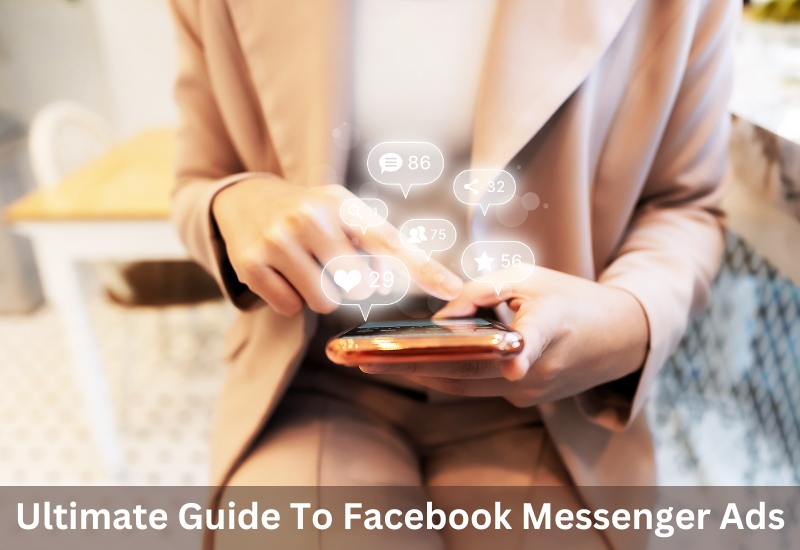
Facebook Messenger Ads are a powerful and effective way to reach your target audience and generate leads. With over 2 billion active users, the Facebook Messenger platform provides a great opportunity for businesses to connect with people and find potential customers in a more engaging way. Since almost all businesses are turning to facebook messenger ads to increase their online presence, it’s very important to know how facebook ads actually works and how you can use it in the best way to boost your brand engagement.

This guide will provide an overview of Facebook Messenger Ads and the key components of a successful campaign in 2025. It will cover everything from setting up your campaign to measuring success and will help you to get started with creating effective Messenger Ads for your business.

Facebook Messenger Ads

What are Facebook Messenger Ads?

Facebook Messenger Ads are a form of advertising that allows businesses to reach their target audience through the Facebook Messenger app. These ads appear in the form of sponsored messages, click-to-messenger ads, or sponsored chat, and they allow businesses to directly connect with potential customers in a personal and engaging way.

By using Messenger Ads, businesses can promote their products or services, generate leads, and increase brand awareness. With the ability to target specific audiences based on their interests, location, and browsing history, Messenger Ads can be highly effective in reaching the right people at the right time.

Why They are Becoming Increasingly Popular in 2025

Facebook Messenger Ads are becoming increasingly popular in 2025 for several reasons.

  • First and foremost, with over 2 billion active users, the Facebook Messenger platform provides a massive audience for businesses to target.
  • Furthermore, the rise of chatbots and AI-powered messaging allows businesses to automate and personalise their communication with potential customers. This improves customer engagement and increases the chances of converting leads into customers.
  • Another reason is the growing importance of social media advertising and the shift to digital communication, which makes Messenger Ads an essential tool for businesses to reach their target audience.
  • Lastly, Messenger Ads are cost-effective and have a lower cost per acquisition (CPA) than other forms of digital advertising.

Step-by-Step Instructions on How to Create a Messenger Ad Campaign on Facebook Ads Manager

Creating a Facebook Messenger Ad campaign on Facebook Ads Manager is a fairly simple process, but it’s important to understand the key components of a successful campaign before getting started.

  • In order to begin, log in to your facebook account and then go to facebook ads manager. Select the ads manager from the drop down menu
  • Once you’re in Ads Manager, you’ll need to select the “Messenger” option from the “Create” button. This will bring up the campaign creation process.
  • The first step is to set your campaign objective. Facebook offers a variety of options such as website clicks, lead generation, and conversions. Be sure to choose the objective that best aligns with your business goals.
  • Once you’ve set your objective, you’ll need to select your target audience. This can be done by defining demographics, interests, and behaviours.
  • Next, you’ll need to create your ad. Facebook offers a variety of ad formats for Messenger Ads such as sponsored messages, click-to-messenger ads, and sponsored chat. Each format has its own set of features and capabilities, so be sure to choose the one that best suits your campaign goals.
  • Once you’ve selected your ad format, you’ll need to add ad copy,images, and videos to your ad. Keep in mind that ad copy and images should be engaging and attention grabbing.
  • After creating your ad, you’ll need to set your budget and schedule for your campaign. This Can be done by selecting a daily or lifetime budget, and setting start and end dates for your campaign.
  • Once you’ve set your budget and schedule, you’ll need to hit the “submit” button to launch your campaign. It’s important to note that you can also use Power Editor for creating Facebook Ads. This will give you more options and flexibility to create and manage ads. With power editor, you can create ads for specific placements like Facebook, Instagram, audience network, and messenger.
  • Once you’ve created your Facebook Messenger Ad campaign, it’s important to regularly monitor and optimise your campaign to ensure it’s reaching your target audience and achieving your desired results.

Facebook Messenger Ads Tips For Beginners

When it comes to setting up your Facebook Messenger Ad campaign, targeting and audience segmentation are crucial elements to consider. Targeting allows you to reach the right people with the right message, while audience segmentation helps you to break down your target audience into smaller groups with specific characteristics. By using Facebook’s targeting options, you can reach users based on their interests, location, browsing history, and more. For example, you can target users who have shown an interest in similar products or services or users who live in a specific area.

Additionally, you can use audience segmentation to create custom audiences based on different characteristics such as age, gender, and behaviour. This will allow you to create more effective ads by tailoring your message to specific groups of people. When it comes to Messenger Ads, it’s also important to use the targeting options to reach users who have already interacted with your business, such as those who have visited your website or made a purchase. By targeting these users, you’ll be able to create more personalised and relevant ads that are more likely to convert.

Tips on How to Write Engaging Ad Copy

Here are some tips on how to write engaging ad copy for your Messenger Ads:

  • Keep it short and sweet: Attention spans are short, so make sure your ad copy is concise and to the point. Stick to one or two sentences that communicate your message.
  • Use action words: Use words that encourage users to take action, such as “buy,” “register,” or “learn more.” This will help to increase the chances of users clicking through to your website or landing page.
  • Use personalization: Use the user’s name or location to make your ad copy more personal and engaging. This will help to increase the chances of users engaging with your ad.
  • Use humour: Ad copy with a sense a humour can increase engagement
  • Use urgency: Use words like “limited time” or “while stocks last” to create a sense of urgency and encourage users to take action.
  • Make sure the ad copy aligns with the ad’s CTA(call to action)
  • Test different variations of ad copy to see which one performs the best.

By following these tips, you can create ad copy that will grab users’ attention and encourage them to take action. It’s advised to test different ad copy variations to understand which one works for your business.

Tips on how to Create Attention-Grabbing Ad Images and Videos

Creating attention-grabbing ad images and videos is crucial for the success of your Facebook Messenger Ad campaign. Add images and videos are the first thing that users will see when scrolling through their Messenger feed, and it is important to make sure that your ad stands out from the rest. A few best practices to keep in mind when creating ad images and videos include:

  • Use high-quality images and videos: Make sure that your images and videos are clear, well-lit, and of high resolution. This will ensure that your ad looks professional and catches the user’s eye.
  • Use attention-grabbing headlines: Use headlines that are short, catchy, and to the point. This will help to grab the user’s attention and entice them to learn more about your ad.
  • Use text overlay: Use text overlay on images to communicate your message quickly and clearly.
  • Use videos: Videos are a great way to catch the user’s attention and communicate your message more engagingly.
  • Use of animation: Animated videos and images are eye-catching and can increase the chances of user engagement.

By following these best practices, you can ensure that your ad images and videos are engaging, attention-grabbing, and effective in driving conversions.

Metrics to Track for your Messenger Ad Campaign

There are several key metrics that can be used to measure the success of your Facebook ad campaigns. Below listed are the key metrics that will give you a better understanding about your ads performance.

Click-through rate (CTR): This metric measures the number of people who click on your ad divided by the number of people who see it. A high CTR is a sign that your ad is engaging and relevant to your target audience.

Conversion rate: This metric measures the number of people who take a desired action (such as making a purchase or signing up for a newsletter) after clicking on your ad. A high conversion rate is a sign that your ad is effectively driving conversions.

Return on ad spend (ROAS): This metric measures the return on investment for your ad campaign by comparing the revenue generated by your ads to the cost of the ad campaign. A high ROAS is a sign that your ad campaign is generating a good return on investment.

Cost per action (CPA): This metric measures the cost of each desired action that is taken as a result of your ad campaign. A low CPA is a sign that your ad campaign is generating conversions at a low cost.

Audience Engagement: Audience engagement metric tells about the number of people engaging with your ad in the form of likes, comments etc. If the audience engagement is high, it means that people are interested in your ad.

Tracking these metrics will give you a clear idea about the performance of your ads. It will also let you know whether any improvements are needed or not. In order to track the above metrics you would have to set up conversion tracking and other tools.

How To Optimise Your Campaign For Better Results

In order to achieve the best results, it’s very important to optimise your Facebook messenger ads.

When it comes to ad optimization, there are a lot of key areas to keep in mind. First of all, it’s crucial for any business to monitor ad campaign performance. This will help in making any improvements if required. These improvements can include changing ad copy or images, targeting criteria etc.

You can also test different ad formats to know which one works best for you. These ad formats include sponsored messages, sponsored chats, click to messenger etc. These ads formats can have a big impact on your ad performance. It’s better to check different formats to know which one works better for your business.

Facebook insights can be used effectively to know how your ads are performing. This can help in making better decisions and to improve the ads. Analysing Facebook metrics like audience engagement, conversion rates, cta, etc will give a clear picture about your ads performance. It will also help to make any adjustments if needed.

Conclusion

In conclusion, Facebook Messenger Ads are one of the most powerful and effective ways for businesses to connect with their target audience and increase sales and revenue for their business. With the increasing popularity of social media and people shifting to digital communication, Facebook ads will become more relevant in the coming years. Following the tips provided in this guide will help you to create an effective Facebook ad that can boost engagement of your brand and drive more business.

How to Run Facebook Contest To Boost Your Business In 2026

Last updated on January 12, 2026 By Kevin Anderson

How to Run Facebook Contest

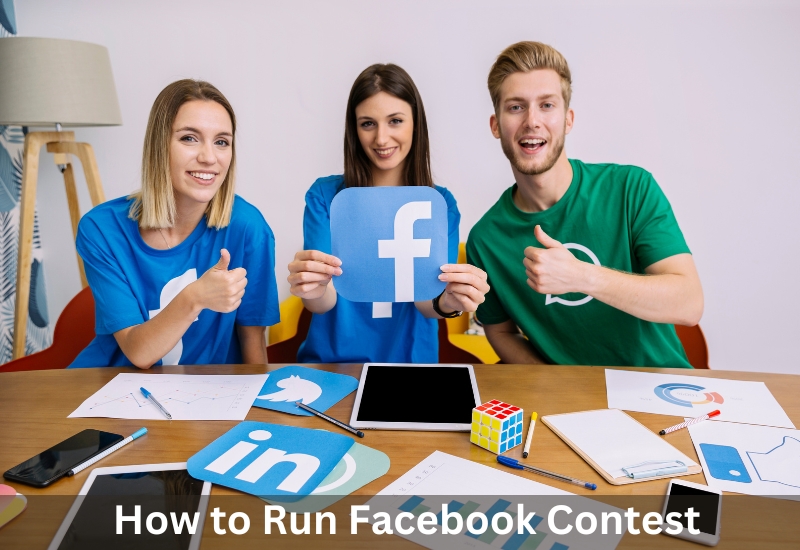
Facebook is the world’s biggest social media forum, with over 3 billion users worldwide. You can quickly increase your brand’s awareness and engagement with different Facebook tools. One of the best tools is a Facebook contest. Contests are fun to run, and people like them very much. You can benefit greatly from running a creative contest on Facebook with such ease and with so little effort that it will generate great results.

How to Run Facebook Contest

How to Create a Facebook Contest

If you are a beginner and need help figuring out where and how to start your contest on Facebook, you no longer have to worry about it. Because in this post, we will describe a detailed guide and step-by-step process on how to run a Facebook contest.

Set Your Goals

The very first step is setting up your main objectives for the contest. The selection of goals is critical and varies from brand to brand. You may enhance sales, increase brand engagement, get new followers, increase website traffic, promote product releases, conduct market research, or build an email list of subscribers.

Decide The Type Of Content

Once your goal is set, you need to decide what type of content will help you achieve your objective through the Facebook contest. Some of the most famous ways are liking the post, writing a comment, following the brand, sharing the post, and making videos or pictures.

A giveaway requires the user to engage with the post by commenting, liking, or sharing. You can add a question to which users have to respond. You may ask the participants to answer the question correctly in the comment box. Moreover, they may tag 3 friends or share this post. The more entries there are, the better the reach will be.

The other way is to ask users to make a picture or video on a specific theme. You can get them to post those photos or videos on their social media handles or ask them to submit them on your website through a link provided by you. Additionally, you can conduct photo votes too. In photo votes, people post a specific photo. The picture that gets the most likes or shares is the one that is selected as the winner.

Specify Rules And Regulations

Once you have dealt with the type of content, you should next define clear rules and regulations for the contest. These rules can include Facebook restrictions regarding competition and your limitations.

You must decide: who can be the participants? How many entries can be made? What is the participant’s most likely age? What are the contest’s start and end dates? Which contestants are eligible to be disqualified?

Moreover, Facebook’s rules include the type of data you can obtain from contestants and the way you can get that data.

Choose The Prize

After you have written clear rules, you now have to choose the prize for the winner or winners. You must carefully select the award the users or participants will be interested in. You cannot announce a giveaway of $5 or $10 and ask participants to participate in a way that might require some effort, like submitting a video.

Moreover, it would help if you matched the prize with your goal, like why you wanted to have a contest. The award must reflect your brand. For example, if you are a brand of shoes, the prize should be a pair of shoes given to the participant(s). So, you must align your objectives or brand strategy with the contest so that people can know about you.

Create A Post

At this step, you should create a post for the announcement of the contest. You can create a simple post or use any other tool. Some of the well-known tools for competitions are Wishpond, Rafflepress, Heyo, and Fastory. These tools provide different layouts for all social media contests, including Facebook.

As far as the post on Facebook is concerned, you should make attractive images, write an engaging description, and include all the necessary information that participants must know. These features will enhance the contest’s reach. Further, remember to include a call to action (CTA) button.

We suggest including other options that invoke more interest in the audience. Make sure to shorten a post and ask for the necessary information that may impact your post’s engagement.

Promote The Post

There are several ways to promote your post. The organic method entails increasing the number of reshares or comments. The other process is inorganic, which is about running an ad.

Sometimes more than simply posting your contest announcement is required. It would be beneficial if your post received increased engagement. You’ve probably seen some sponsored posts. These are supposed to be created similarly by investing in an ad campaign. You can run an ad campaign through Facebook advertising and boost your post. You will surely get more likes, shares, and followers. Another thing you can do is share this contest on different social media accounts to increase traffic.

Announce The Winner

Now it is time to announce the winner. Yay! the announcement of the winner is the most awaited time for a competition. Every contest is complete with announcing its winner.

You should select the best participant based on all criteria or rules you mentioned and make the BIG announcement. For this, create an engaging post where you can thank all the participants and announce the winner.

Moreover, you need to contact the winner. You can take the winner on the live video call to increase the post’s reach. The winner’s announcement gives closure to your contest and gives you a chance to prove yourself as a brand in front of new followers. The information will also increase your future post’s reach.

Track Your Performance

The final thing that you should do is track your key performance indicators (KPIs). It is time to test what type of content and how much engagement you get through likes, shares, and comments. You can check the email list you built in this contest, which you can later use for the emailing newsletters.

Moreover, you can gain several insights and suggestions about the future Facebook contest you plan to run.

Why should you run a Facebook contest?

People are getting way more interested in Facebook contests. They have become trendy due to the following reasons.

Engagement

One of the primary reasons for running contests or giveaways is to enhance users’ engagement with your brand. When a competition is announced, user interaction with the brand increases, which may boost sales or generate leads.

Brand Awareness

Another important reason you should run the Facebook contest is to increase brand awareness. You gain new followers, and users come to know about your brand, which exists. They will increasingly add to your brand’s value, or “brand equity.”

Data Collection

The third reason is that you might be doing market research about an existing or new product or even consumer behaviour. The Facebook contest is an effortless way to conduct market research. It can provide actual data and responses for your research.

Conclusion

Facebook contests play a vital role in increasing user interactions. They have become part of the brand’s strategies for raising brand awareness and driving sales. Facebook Contests are one of the best tools to boost your reach and gain new followers. They are pretty easy to manage. In this beginner’s guide, we have explained the step-by-step process through which you can run a Facebook contest easily and get good results.

After running a contest, it would be best to devise a strategy on the data you have obtained through this contest. For example, you can send emails or newsletters to participants for upcoming exciting events or announce discounts or promotions by your brand. Now get your contesting game on! and get great results!

Buy facebook accounts for business marketing, BulkAccountsBuy offer phone verified and 100% secure accounts in bulk.

« Previous Page
Next Page »

Our Services

Buy Gmail Accounts
Buy TikTok Accounts
Buy IG Accounts
Buy FB Accounts
Buy Twitter Accounts
Buy Youtube Accounts
Buy Yahoo Accounts
Buy Hotmail Account
Buy Linkedin Accounts
Buy AOL Accounts
Buy Pinterest Accounts
Buy Edu Emails
Buy iCloud Email Accounts


Contact Us

Contact us, If you have any queries before placing OR after getting your order.

Email: rocky.bulkbuy@gmail.com

WhatsApp: 

+1 (339) 241-6012

Telegram:

Rocky_BAB

trust
payment

© Copyright 2026 BulkAccountsBuy Our Sitemap · All Logos & Trademark Belongs To Their Respective Owners·