Bulk Accounts Buy

  • SHOP
    • Buy Gmail Accounts PVA – New Or Old In Bulk- Instant
    • Buy Gmail Accounts with an App Password [PVA & Old]
    • Buy Facebook Accounts – OLD/Aged Facebook Accounts For Sale
    • Buy Instagram Accounts in Bulk – Aged & Verified
    • Buy Linkedin Accounts in Bulk – Verified and Working
    • Buy iCloud Accounts
    • Buy Twitter Accounts in Bulk – PVA and Aged Accounts
    • Buy Hotmail Accounts – Verified and Aged Accounts
    • Buy Yahoo Accounts In Bulk – Phone Verified Accounts(PVA)
    • Buy Edu Emails – Edu Email Accounts Sale
    • Buy Youtube Accounts in Bulk – All PVA and Aged Accounts
    • Buy Bulk Pinterest Accounts – PVA
    • Buy AOL Accounts – Verified and Aged Accounts
    • Buy GMX Accounts
    • Buy TikTok Accounts | Verfied TikTok Accounts For Sale
  • My Account
    • My Cart
  • Support
  • About us
    • FAQ – Frequently Asked Questions
  • Terms
  • Blog
You are here: Home / Archives for Tips

How to Get Pinterest Followers: 10 Tips and Tricks

Last updated on January 12, 2026 By Kevin Anderson

Pinterest is one of the most popular social media platforms with a user base of over 400 million people. With its visually-driven content, it provides an excellent opportunity for businesses to showcase their products and services to a large audience. However, to make the most out of Pinterest, you need to have a good number of followers. Having a high number of followers on Pinterest can help boost your brand’s visibility, increase website traffic, and ultimately drive sales. In this article, we will discuss 10 tips and tricks that you can use to increase your Pinterest followers and achieve your business goals. So, if you’re ready to take your Pinterest game to the next level, read on.

10 Tips And Tricks

Pinterest is a platform where you can create and share boards, save pins, and discover content. If you are a blogger, small business owner, or someone who wants to increase their Pinterest following, you need to know some tips and tricks to get more followers. Here are ten tips to get more Pinterest followers:

1. Optimise Your Profile

Your Pinterest profile is the first thing people see when they visit your page. Make sure your profile picture, username, and bio accurately represent your brand. Use keywords related to your niche in your bio and board descriptions to help people find your content.

2. Pin Quality Content

To get more followers, you need to pin quality content. Pin images that are eye-catching and relevant to your audience. Pin content that aligns with your niche and provides value to your followers.

  • Add detailed and keyword-rich descriptions to your pins to increase their visibility and reach.
  • Use hashtags strategically to help your pins show up in relevant search results and attract more followers.
  • Create original content such as infographics, tutorials, and DIY guides to showcase your expertise and provide value to your audience.
  • Curate content from other credible sources in your niche to supplement your own pins and offer a diverse range of content to your followers

3. Pin Consistently

Consistency is key when it comes to Pinterest. Pin regularly to keep your followers engaged and attract new ones. Pin at least once a day to keep your account active.

  • Pinning consistently helps you stay top of mind with your followers and attract new ones.
  • Make a pinning schedule and stick to it to see steady growth in your Pinterest following.
  • Don’t forget to mix up your content and pin a variety of images to keep your Pinterest profile fresh and interesting.

4. Join Group Boards

Group boards are a great way to reach a wider audience and get more followers. Join group boards that are relevant to your niche and actively participate by pinning quality content. Joining group boards on Pinterest is a great way to network with other users and gain more followers. Take advantage of the exposure provided by group boards to grow your Pinterest followers and engagement.

  • Don’t just join any group board, research and choose ones that have active and engaged members.
  • Create your own group board and invite other pinners to join to increase your exposure and following.

5. Engage with Other Pinners

Engage with other pinners by commenting on their pins, repinning their content, and following them. This will help you build relationships and attract new followers.

  • Like and comment on other pins that are relevant to your niche to increase visibility and engagement.
  • Follow other users who are actively sharing content in your niche to increase your reach and exposure.
  • Repin high-quality pins from other users to diversify your content and showcase your interests.
  • Join Pinterest communities or groups to connect with other like-minded individuals and collaborate on shared boards.

6. Use Rich Pins

Rich pins provide more context and information about your content. They include additional details like a description, website, and author. Use rich pins to help your content stand out and provide more value to your followers

  • Make sure to add relevant metadata to your website for rich pins.
  • Use product pins to showcase your products and link them back to your website.
  • Optimise your content for Pinterest SEO to increase visibility of your pins.
  • Create a dedicated Pinterest board for your rich pins to help your followers find and engage with them easily.

7. Promote your Pinterest profile

Promote your Pinterest profile on other social media platforms like Facebook, Instagram, and Twitter to attract more followers. You can also add a Pinterest widget to your website or blog, encouraging your visitors to follow you on Pinterest.

  • Include your Pinterest handle or profile link in your email signature and other marketing materials to increase visibility.
  • Utilise Pinterest advertising to promote your profile to a wider audience.

8. Use relevant keywords

Just like with any other search engine, keywords play a significant role in Pinterest’s search algorithm. Make sure to include relevant keywords in your pin descriptions, board titles, and profile description to make it easier for people to find your content.

  • Use targeted keywords in your board and pin descriptions for better discoverability.
  • Research popular keywords and trending topics to optimise your content.
  • Utilise hashtags in your pins to increase visibility.
  • Use keyword-rich titles for your boards and pins to attract your target audience.
  • Incorporate long-tail keywords to increase your chances of being found in searches.

9. Analyse Your Pinterest Analytics

Use Pinterest Analytics to monitor your performance, identify your most popular pins, and gain insights into your followers’ demographics and interests. Use this data to adjust your strategy, create more engaging content, and attract more followers.

  • Identify your top-performing pins and create more content around those topics.
  • Keep an eye on your engagement rate and optimise your pins for maximum engagement.
  • Look at your audience demographics to understand who your followers are and tailor your content to their interests.
  • Use the “Interests” section in your analytics to find new content ideas and target your content to new potential followers.

10. Collaborate with Other Pinners

One effective way to gain new followers on Pinterest is to collaborate with other pinners in your niche. Find other pinners with similar interests and ask to collaborate on a board or two. This can help you tap into their audience and gain new followers who are interested in the same type of content. It can also help you build relationships with other pinners and establish yourself as an authority in your niche.

Conclusion

Getting more followers on Pinterest is a slow process and it needs a lot of time and effort. A good strategy can help you skyrocket your number of followers on pinterest. With tips and tricks mentioned in this article, you can effectively increase your total followers.


Ultimate Guide Of Discord Banner Size Of 2026

Last updated on January 12, 2026 By Kevin Anderson

Discord Banner Size

Discord is one of the most popular chat apps, used by online communities to talk about different topics. It’s also a very powerful opportunity for businesses looking to assist their teams to stay in touch without email

It is a free and open-source voice and text chat service for gamers. It’s a great solution for gamers who want to be able to talk to their teammates without having to go through a third-party application. It is also a great way for gamers to be able to talk to their fans, friends, and family. It is a great tool for video game communities to use and communicate with each other.

Discord Banner Size
Discord Banner Size

It is a great tool for gamers to be able to communicate with their friends and family, as it is easy to use and also allows for video calls. It also has a great feature called DMs, which is perfect for contact with friends, family, or fans.

Discord Banner Size

Your Discord banner is your personal touch on Discord. It displays your username and what server you’re on, and some of the options that you can customise are your avatar, the size of the text, and the color of the text and text background. The size of your banner should be determined by the size of your text. If you have fairly large text, you might want to consider a larger banner. If you have smaller text, you might want to consider a smaller banner.

How To Customise Your Banner

When you are deciding on what size banner to use, you should take into consideration the size of your discord. If you have a small discord, you’ll want to make sure that your banner is not too big. Likewise, if you have a large discord, you’ll want to make sure that your banner is not too small. To make sure your banner is not too small, you should make sure that it has a size that is at least 1.5 times the size of your discord.

For example, if discord is 250 pixels wide, your banner should be at least 500 pixels wide. If your discord is 500 pixels wide, your banner should be at least 1,000 pixels wide.

When setting a profile banner or server banner, the best Discord banner is 960 × 540 pixels. That’s why it will cover the whole server banner background without being distorted. Another thing is when you’re creating a Discord server banner too, the size of the banner can not be more than 8 MB, as that is the maximum allowed for a Discord background.

How To Choose The Banner Size

If you are unsure what size banner you should use, you can use the following steps to decide:

  1. Put your banner size in pixels and the ratio of your banner in relation to your Discord window.
  2. Measure the height and width of your Discord window.
  3. Divide the height in pixels by the width in pixels to get the ratio of your banner.
  4. Multiply the number you obtained in step 2 by the number you obtained in step 3. This will give you the final size in pixels.
  5. Take the final size in pixels and divide it by the size in pixels of the width of your banner. This will give you the percentage of your banner that will be displayed. For example, if you have a banner that is 200 pixels wide and 100 pixels tall and your Discord window is 500 pixels wide, your banner will be 30% of your window.

Other Image Sizes for Discord

Discord Profile picture size

The Discord profile picture appears next to your username in both voice chats and channels. It’s important to find one that looks nice and fits the style of your game. It allows users to upload a 128 × 128 pixels picture while they are creating their account, but when you want to use multiple sizes or support an animated GIF, it is best to create using Photoshop or other image editors before uploading it as an attachment.

Discord Logo size

Like a profile picture, the logo can go up to 512 × 512 pixels. It is also a PNG file and transparent, so you can see it with the background of your page.

The logo should always be centred in your banner design and not just because it looks to fit there, centring the logo on the top of other content makes it easier for you to find with their eyes when they are scrolling through a list.

Discord invites splash image

The discord server invites a user, and the invitation contains a background picture. If the user clicks on an invitation link in the browser, the discord splash background image appears. You can get a preview of the invite splash image, which should leave a good impression. Making a captivating server invite and splash image is a vital step to getting your server recognized.

New users on your server will see this image of up to 8 MB and a max resolution of 1920 × 1080 pixels.

Discord Emojis

Fun for reactions and community building, emojis must be 256 KB and 32 × 32 pixels.
Uploading a high-quality image is an impressive way to make sure that your emoji is of the highest quality. If the image is too large, you can use image compression to reduce the file size so that you don’t cross the MB limit.

If you don’t have the option of customising emojis yet, you can still send the standard emojis you know from WhatsApp on your iPhone and Android mobiles, and even on your Desktop. We’ve got an advanced template for this in Vectornator. So Just upload an image with a transparent background.

A picture on discord for a server or profile is a pretty straightforward help to create. It’s always best to create an asset for any social media platform in design software beforehand, however, to ensure you are always maximising quality.

Discord Video Size

Discord videos consist of between 8 MB and 2000 MB. However, working with a large limit could be challenging. That is why it is most important to compress any large video size to 8 MB or below. For example, if you want to send videos larger than 8 MB, you have to buy Discord Nitro.

Conclusion

Finally ,after getting all the details of the Discord banner size, you can now move forward to level up your Discord experience. Now you are able to shine more significantly with this new feature and enjoy with your followers even during your favourite games.

Banners are an impressive way to personalise both your profile and the servers that you moderate. Because of Discord limitations, banners are something only for users that use their Nitro subscription method. Nitro users will also get server growing privileges too, among a whole host of other features.

All though, if you are a Nitro user, you can upload a banner to both servers and your profile by following the instructions in the s settings. As long as the image clovers up with memory and storage limits, your banner will be good and fit to go as soon as you upload it to Discord.

May You Also Like

Ultimate Guide Of YouTube Cover Photo Size
Ultimate Guide To Reddit Banner Size
Ultimate Guide To Pinterest Profile Picture Size
Ultimate Guide for Linkedin Cover Photo Size
Ultimate Facebook Profile Picture Size Guide

Ultimate Guide of Discord Profile Picture Size In 2026

Last updated on January 12, 2026 By Kevin Anderson

Discord Profile Picture Size

Discord is a social media app mainly used for streaming videos and connecting with people. Through virtual chat, it links individuals all over the world and attracts millions of players, fan groups, and small businesses. It’s crucial to have a fantastic Discord profile image because it might show the kind of person or company you are. The image is typically the very first thing most people see when they click on your name in a channel or when you send them a friend request.

Discord Profile Picture Size

Users can adopt online identities that depict them in a positive light, which is one of the features that make the popular multimedia messaging network Discord so appealing. It can be very difficult to separate from the masses and develop a well-known and popular persona on Discord because it allows a group of friends or individuals with common interests to chat in real time. The user’s overall impression will be influenced by every aspect of their presence on the platform, but one of the most important aspects that greatly contribute to identity formation is undoubtedly their profile image.

It’s crucial to remember that Discord users are only able to utilise a single profile photo or avatar on the app and cannot switch between servers while doing so. This rule, which applies to server administrators as well, establishes some obligation and awareness. In light of this, choosing a fantastic image to use as your profile picture across the entire Discord platform is a serious decision. We have created a thorough guide for this procedure to assist you in completing it correctly and following all the requirements.

If you would like to create a unique profile, it’s essential to comprehend how every feature of the site functions. You must modify your profile if you’re using it for business purposes.

Guide of Discord Profile Picture Size

Just like most other social media platforms and online chat platforms, Discord has guidelines that specify which images can be used as avatars.

For Discord profile images, a 1:1 aspect ratio and a resolution of 128 × 128 pixels are advised. Additionally, JPG, PNG, and GIF file types are frequently used to generate animated Discord profile photos. The largest file size for Discord profile images is 8 MB.

You do not need to worry much about the image size for your profile photo because it will be relatively minimal, even though you might run into an 8 MB or 50 MB file size limit when uploading files to Discord generally.

A more noticeable image will automatically be resized by Discord when it is reduced in size. Don’t confuse Discord avatars and profile images because they are the same thing. It’s also known as a Discord PFP in some contexts.

Things to keep in mind while choosing profile picture for Discord

There are a few things to keep in mind while uploading profile pictures on discord. You can’t upload any picture on discord. It should abide with the rules and guidelines of discord. Otherwise, the profile picture will be removed. For Example, discord doesn’t allow its users to add NSFW pictures as profile pictures. If you add nsfw pictures as profile pictures on discord, it will be removed. Few other things to keep in mind are :

  • When choosing your profile picture, keep in mind that Discord will crop any square images you upload into circles. To ensure that the icon’s details can be seen well when reduced to a circle, place them in the icon’s centre.
  • When choosing your profile photograph, keep in mind the terms and conditions as well as the content requirements. An NSFW image, FOR EXAMPLE, cannot be used as your profile photo.
  • You must abide by the following guidelines to avoid being shadow banned, which is identical to what happens on Twitch.
  • Additionally, keep in mind that when creating your Discord avatar, the pixel pitch needs to be considered. If Discord resizes your image, you can lose some of its original components.

Discord Profile Picture You Can Upload

Discord has developed into a sizable platform for multi-media chat. The gaming industry has been actively utilising it, and numerous firms have begun to encourage its use. After they’ve set up their profiles, however, few individuals customise them, mostly because they are unaware of things like the optimum Discord profile photo size.

Users are free to select any picture for their avatar as long as they abide by the rules. There are two methods for uploads:

  • For your profile picture, you can select any picture, including your face, a meme, an item, a design, and an artwork. The site must comply with Discord’s requirements. Uploading a square image will result in cropping into a circle. You can submit any image as well.
  • Animation GIFs – You can now post fully animated GIFs that play continually as your avatar. Users of Discord Nitro can only access this feature (more on Discord Nitro below). If you have Discord Nitro, you can upload a personalised animated GIF as your avatar. If you need inspiration, you can find better Discord avatars on many GIF websites.

How to Change Discord Profile Picture

Discord profile pictures are also known as avatars. Discord profile pictures can be changed anytime. A step-by-step guide on how to quickly modify your Discord profile photo is provided below:

  • Open a browser window and log into your Discord profile. If you connect to your profile from a new IP address, you will need to do a quick authorization check via your email unless you have a 2-factor authorization set.
  • In the lower-left corner, there is an icon for user settings, along with your name, avatar, microphone, and headphone buttons. By clicking on the User Settings tab, you can access “My Account.”
  • Select a choice from the list. To access the next prompt, either click the avatar or simply hover your cursor over it. Change Picture and Delete Picture are the two choices that are located on the left. Click the first option.
  • Your new avatar can be found in a File Explorer window after you’ve been directed there.
  • Just click on it. To open the little window, double-click or click on its left side.
  • There will be a Discord overview displayed. They will circle the image. Your avatar will be visible in this circle. By moving the circle and zooming in or out, the image size can be changed.
  • Press After you are finished, apply to the bottom left.
  • When you’re finished, click Save at the bottom. You’ll see options to Reset and Save Changes at the bottom of the screen; select the latter.

Conclusion

Discord is used by a large number of people. It’s an application that is growing day by day. Many people use it to stream videos and connect with new people all around the world. Uploading a profile picture on discord is not compulsory. There are a lot of discord accounts without any profile picture or avatars. However, a profile picture would be very helpful to gain trust on discord. It’s very important to make sure that your discord profile picture is according to the guidelines of discord. A profile picture can increase the reach of your account on discord.

Related Post –

Ultimate Guide Of YouTube Cover Photo Size

Ultimate Guide To Reddit Banner Size

Ultimate Guide To Pinterest Profile Picture Size

Ultimate Guide for Linkedin Cover Photo Size

Ultimate Facebook Profile Picture Size Guide

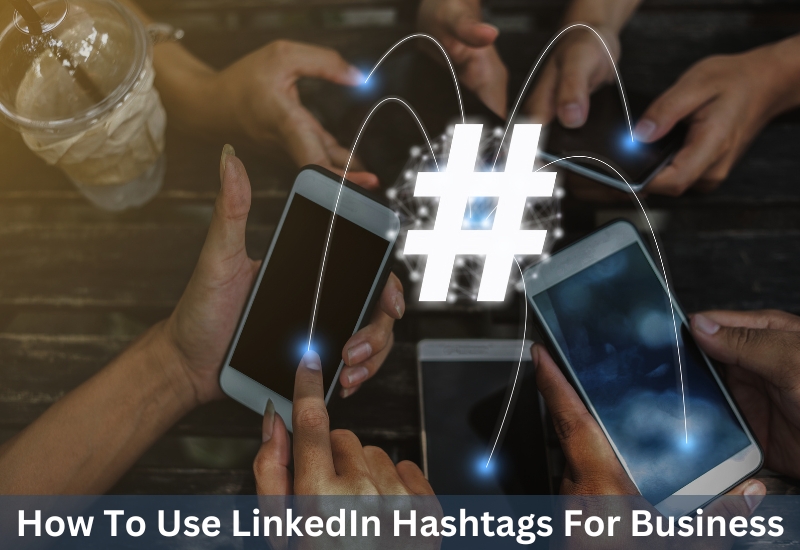
How To Use LinkedIn Hashtags For Business In 2026

Last updated on January 12, 2026 By Kevin Anderson

How To Use LinkedIn Hashtags

LinkedIn is a networking platform for professionals that enables advertisers to post job vacancies and lets job seekers publish their CVs. In addition, companies use social media platforms as advertising channels to quickly reach their intended goals.

Hashtags on LinkedIn are a potent tool to utilise when attempting to establish your brand. In a similar vein, using LinkedIn when using other social media hashtags is the greatest approach to reach a broader audience with specific interests. This makes it crucial for them to understand which LinkedIn hashtags you may utilize with your content to expand your network and brand.

How To Use LinkedIn Hashtags

Hashtags can increase impressions, enhance the searchability of your content, and promote more conversation about your company. But to use hashtags effectively, particularly for company promotion, you need to do more than simply include them in your Instagram, Facebook, or Twitter posts or tweets.

What are hashtags on LinkedIn?

In LinkedIn postings and other sections of the LinkedIn ecosystem, text extracts known as hashtags can be used. Every hashtag starts with the # (hash) sign, then the hashtag’s name. LinkedIn hashtags are used to group people together who have an interest in the same subject. For instance, you may use the hashtag #marketingtips to include your material in a list of marketing strategies that anyone searching for that hashtag can find. You may even consider it a directory of various themes. Additionally, hashtags increase the visibility of your LinkedIn profile and articles.

Why Use LinkedIn Hashtags?

Let’s say you frequently share LinkedIn information without including the hashtag.

Discover the benefits of using LinkedIn hashtags for your business.

  • Hashtags act as a kind of grouping that helps your LinkedIn post describe the pertinent subject and topic.
  • Similar to keywords, hashtags are tools that can help you improve your article so that it receives more natural impressions and hits on LinkedIn.
  • To get post engagements on hot topics, use trending hashtags.
  • By including the appropriate hashtags, you can encourage audience involvement on your profile or page.
  • If you want to market or promote your company on LinkedIn, you shouldn’t disregard the top trending hashtags.
  • By using pertinent hashtags, a post might reach the correct audience.
  • Post pertinent hashtags to the appropriate audience.

Why do Businesses use Hashtags?

Hashtags facilitate user participation on social media, make it easy for users to identify your content, and attract new customers. You can conduct individual searches for every hashtag. People may find articles related to your business using the hashtags you’ve placed in your posts.

Hashtags might help you arrange your material if your firm is already established. Hashtags can assist you to reach a devoted audience who is already interested in the hashtags you use if you’re launching a new business.

What is hashtag marketing?

Utilising hashtags intelligently to ensure that your information reaches the right audience is known as hashtag marketing. The perfect hashtags can make a post extremely popular, increasing views, likes, retweets, and shares of your material. Ultimately, all of this social media activity contributes to the exposure of your business and its content.

However, not every hashtag is made equal. Additionally, various hashtags kind of connect with various audiences and help your organisation achieve a variety of objectives. These are the hashtags that small businesses should be familiar with and keep on hand in their marketing toolkit.

Trending Hashtags

One of the simplest and most effective ways for business owners to use hashtags in their campaigns is to employ trending hashtags. A hashtag associated with a trendy topic or event is said to be “trending”.

Creating a new hashtag and fostering its growth needs more effort than merely contributing to a larger discussion and enjoying a brief period of popularity. Although trending hashtags cannot be depended upon for sustained interaction, they are great for seizing the opportunity and making money off a brief but incredibly popular subject.

Use trending hashtags in conjunction with content that is related to a trendy issue or event to expand the audience for your brand.

Hashtags related to your Niche

There are probably existing hashtags for your industry or specialty. Understanding what they are is preferable. Start by researching the hashtags being used by influencers in your industry and by your rivals. Use resources like Ritetag or Hashtagify if you’re still unsure of how to identify pertinent hashtags. To decide whether to utilise a tag, you can search for ones that are pertinent to your sector and look at how popular they are.

If your company caters to a particular specialised community, keep tabs on the hashtags that its active members are using locally and follow well-known influencers in that community.

Using proper hashtags connected to pertinent content, you can target your most active consumer groups. The most valuable audience for your content will be reached as a result.

Branded Hashtags

Branded hashtags are ones that your company develops to promote your brand. To get these hashtags going, a little more effort is needed. They rely on your marketing to generate momentum rather than capitalising on an already popular topic or campaign.

But doing so will be well worth it for your brand. When used properly, these hashtags act as a direct route for consumers to discover material that is very relevant to your company. You can add a branded hashtag to practically any content you publish on any platform to increase exposure. Make sure the hashtags don’t mislead customers or potential customers and appropriately reflect the brand identity of your company.

Product specific Hashtags

Practically every piece of content you post on any platform can benefit from relevant hashtags to enhance exposure. Make sure the hashtags accurately reflect your company’s marketing strategy and don’t mislead existing or potential customers.

These hashtags also allow customers a means of becoming brand promoters and verbally expressing their admiration for your goods or services. Any article about that good or service should have a relevant, targeted hashtag.

Hashtags for the Call To Action

An effective marketing tool is a short hashtag with a clear call to action. A trendy hashtag could be used as a fun call to action (CTA) for social media users. Additionally, the business might inspire customers to act in areas outside of social media.

These call-to-action hashtags should only be used in posts that are directly linked to the campaign. If not, you run the risk of weakening the impact. In the end, there isn’t just one kind of hashtag that works best for boosting your social media posts. Instead, a variety of hashtag types that are pertinent to your industry and target market will serve you well.

Use hashtags to reach particular demographics. Use hashtags to highlight particular marketing initiatives or social movements. Choosing the appropriate hashtag for the content and audience you want to target is the best practice.

Conclusion

Hashtags help increase engagement with content. LinkedIn hashtags increase the visibility of content. When people see your content, they can interact with it. However, to make certain that hashtags work as intended, you want to use them cleverly. LinkedIn Hashtags are the best way to boost your content reach and make it visible for the audience. when your content is relating to a specific business industry then, prefer to use relevant business-specific hashtags.

Related Post –

How To Use LinkedIn Messages To Grow Your Business?

Ultimate Guide for Linkedin Cover Photo Size

Tips to Select the Best Picture for LinkedIn

The Definitive Guide to Instagram Hashtags

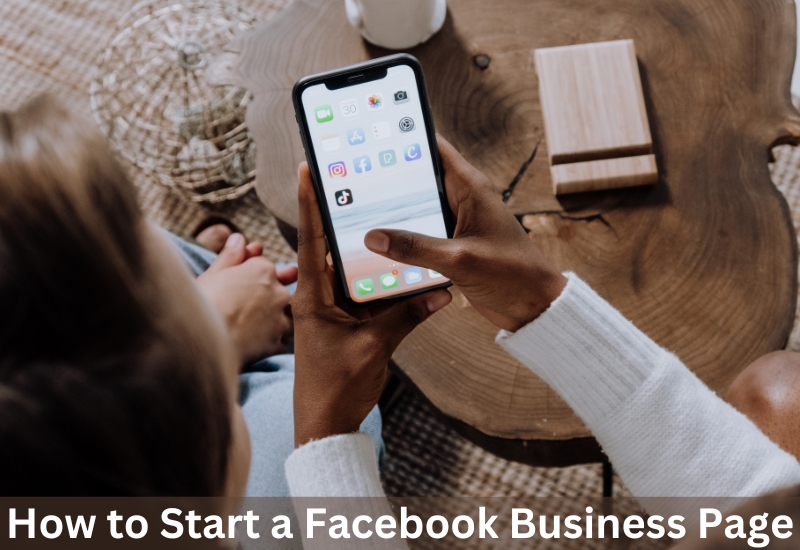
How to Start a Facebook Business Page In 2026

Last updated on January 12, 2026 By Kevin Anderson

How to Start a Facebook Business Page

Nowadays, being on social media is really important for any type of business. Creating a Facebook page for your business is an easy and useful way to advertise and find new customers. With a Facebook page, you can get in touch with many people, talk to customers, and make your brand more popular. We’ll help you start your own Facebook page in this guide, so you can get the best results.

What is a Facebook business page?

A Facebook business page is a free online platform for businesses, organisations, and public figures to connect with their audience and promote their products or services. It provides a space to share content such as photos, videos, and text updates, and allows businesses to interact with their customers through comments, messages, and reviews. A Facebook business page can also help increase brand awareness, drive website traffic, and even generate sales through Facebook’s advertising tools.

How to Start a Facebook Business Page

Why is it important for business to start a business page on Facebook?

Using a Facebook business page is crucial for businesses of all sizes in today’s digital age. There are many good reasons to create a Facebook business page. For example:

Reach lots of people: Facebook has more than 2.9 billion active users every month, so it’s a great place to find new customers and make your brand more popular.

Affordable advertising: Facebook has useful advertising tools that are cheaper than other types of ads. They can help you reach the right people and save you money. You can create highly targeted ads based on location, interests, demographics, and behaviour.

Build relationships with customers: Facebook business pages allow businesses to engage with their customers and build relationships with them. You can respond to comments, answer questions, and even offer customer support through Facebook Messenger.

Boost credibility: A professional-looking Facebook business page can help build credibility and trust with potential customers. It shows that your business is active and up-to-date, and can help showcase your products or services.

Insights and analytics: Facebook offers a wealth of insights and analytics for business pages, which can help you understand your audience better and optimise your content for maximum engagement.

Also Read – 9 Facebook Secret Tricks and Tips – You Must Follow

How to Start a Facebook Business Page?

Starting a Facebook business page can be an excellent way to connect with customers and grow your brand. Follow the below steps to start a Facebook page:

Step 1: Define Your Goals

Before you create your Facebook business page, it’s important to define your goals. What do you want to achieve with your Facebook page? Is it to generate more sales and revenue? Your goals will guide your Facebook strategy and help you measure success.

Step 2: Set Up Your Page

If you don’t already have a personal Facebook account, sign up using your name and email address. Once you have a personal account, just follow these steps to create your business page:

  • Click on the “Create” button on the top right corner of your Facebook homepage.
  • Select “Page” from the dropdown menu.
  • Choose your page category and fill in your business information.

When you create your Facebook business page, you’ll need to pick a category that fits your business. Facebook has a bunch of options, like “Local Business or Place,” “Company, Organization or Institution,” or “Brand or Product.” After you choose your category, just type in your business name and click “Continue.”

  • Upload a profile picture and cover photo that represents your brand.

Your Facebook page’s profile picture and cover photo are the first things visitors will see. So it’s essential to choose images that show what your business is all about. Your profile picture should be square and at least 180 pixels wide and tall.

  • Encourage visitors to take action by adding a call-to-action button like “Contact Us,” “Shop Now,” or “Sign Up.”

This button is a tool that helps visitors take a specific action on your page. It can help you get more sales or reach your business goals. To add a CTA button, click on the blue “Add a Button” button below your cover photo and choose the action you want people to take.

Step 3: Optimise Your Page

To make your Facebook business page more engaging and informative, you should optimise it with some strategies. Here are some tips to optimise your page:

  • Write a compelling “About” section that describes your business and what you offer.
  • Use keywords that will grab the attention of your audience.
  • Once your page is set up, it’s time to start creating and sharing content that will engage your audience. This could include sharing blog posts, images, videos, and updates about your business. It’s important to keep your content consistent and on-brand to help build trust with your followers.
  • Use data to understand what type of content performs well, such as videos, images, or text.
  • Use Facebook Insights to track your page performance and understand your audience demographics, behaviour, and preferences. Use this data to refine your content strategy and target your audience more effectively.
  • Respond to comments and messages promptly to show your customers that you care about their needs and feedback.
  • Use data to track your response time and improve your customer service.

Step 4: Promote Your Page

Once you’ve created and optimised your Facebook business page, it’s time to promote it to reach a wider audience. Promoting your Facebook business page can help you reach a wider audience and grow your following. Here are few strategies to promote your page:

  • Use Facebook Ads to target your audience with paid advertising. Use data to select the right targeting options, such as location, age, gender, interests, and behaviours. Test different ad formats and messaging to optimise your results.
  • Use Facebook Groups to connect with your target audience and promote your page. Join relevant groups and share your content to provide value and build relationships.
  • Encourage your customers to leave reviews and ratings on your Facebook page to boost your credibility and social proof.
  • Use data to track your reviews and respond to negative feedback to show your customers that you care about their experience.
  • Ask your Facebook friends to like your page.
  • Put a link to your page in your email signature.
  • Share your page on your website and other social media accounts.

Step 5: Measure Your Results

To measure the success of your Facebook business page, you should track your metrics and analyse your data. Here are some key metrics to monitor:

Page Likes: This metric shows how many people have liked your page. Use data to track your growth rate and compare it to your industry benchmarks.

Reach: This metric shows how many people have seen your posts. Use data to track your reach and engagement rate to optimise your content.

Also Read – Facebook Messenger Ads : A Beginner’s Guide

Conclusion

If you want to reach your audience, sell more products, and have a great online reputation, a Facebook business page is a must-have tool. It has many features that can help you advertise effectively, talk to customers, and understand your results. Any business that wants to succeed on the internet needs one.

« Previous Page
Next Page »

Our Services

Buy Gmail Accounts
Buy TikTok Accounts
Buy IG Accounts
Buy FB Accounts
Buy Twitter Accounts
Buy Youtube Accounts
Buy Yahoo Accounts
Buy Hotmail Account
Buy Linkedin Accounts
Buy AOL Accounts
Buy Pinterest Accounts
Buy Edu Emails
Buy iCloud Email Accounts


Contact Us

Contact us, If you have any queries before placing OR after getting your order.

Email: rocky.bulkbuy@gmail.com

WhatsApp: 

+1 (339) 241-6012

Telegram:

Rocky_BAB

trust
payment

© Copyright 2026 BulkAccountsBuy Our Sitemap · All Logos & Trademark Belongs To Their Respective Owners·